
Search smallrig.com...


RC60B Firmware Upgrade Guide
SmallRig Support Team 2025-10-20 20:09:21
Note:The upgraded version (firmware 1.0.1) differs from the original version (firmware 1.0.0) by fixing user experience bugs identified during testing and improving battery level display accuracy.
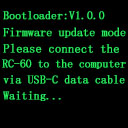
Step 1:Press and hold the "ECO" button while powering on the device to enter firmware upgrade mode. Connect the device to a computer via USB within 60 seconds (currently compatible only with Windows systems).
The interface will display:
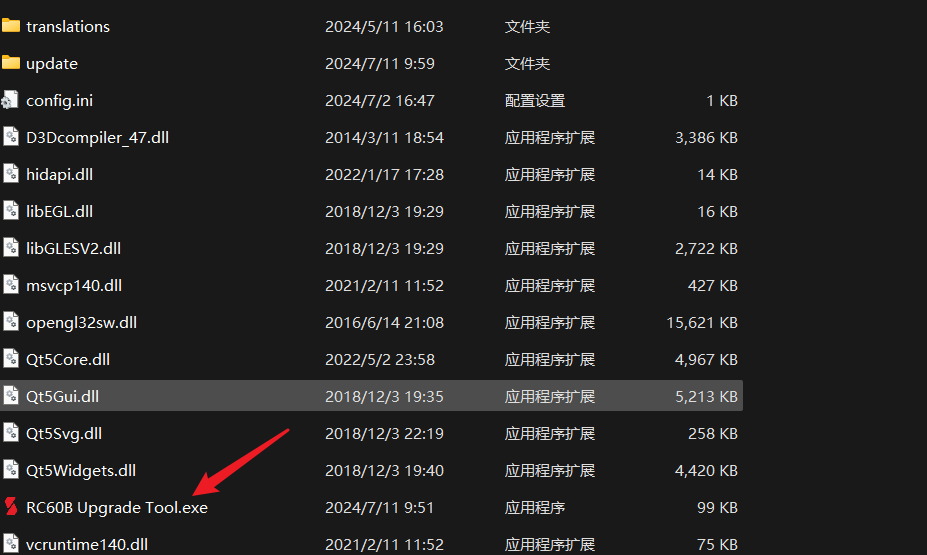
Save "RC60B Upgrade Tool.exe" from this link.
https://static.smallrig.com/mall/static/file/RC60B%20Upgrade%20Tool.zip
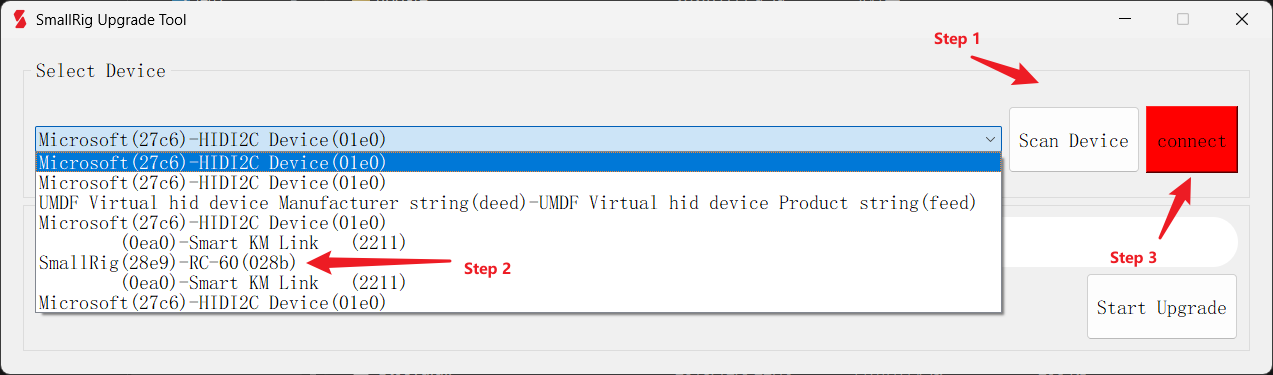
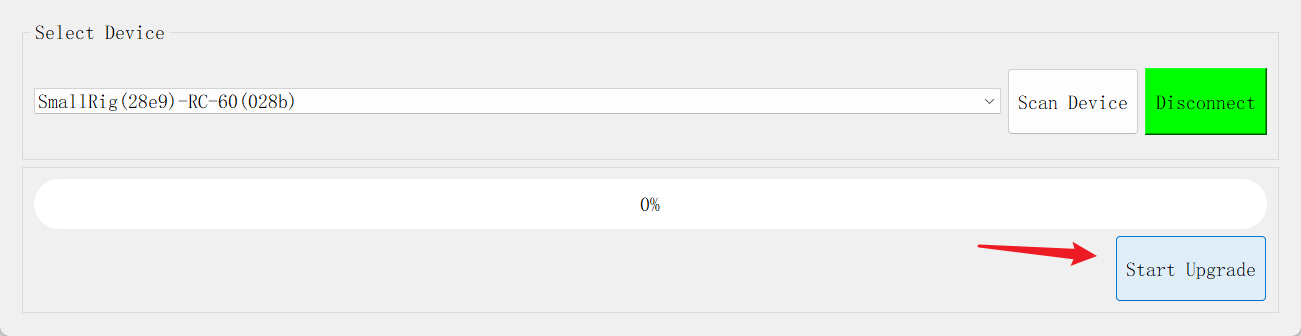
Step 2:Open the tool, click "Scan Device," select "SmallRig(28E9)-RC-60(028B)" from the dropdown, then click "Connect."
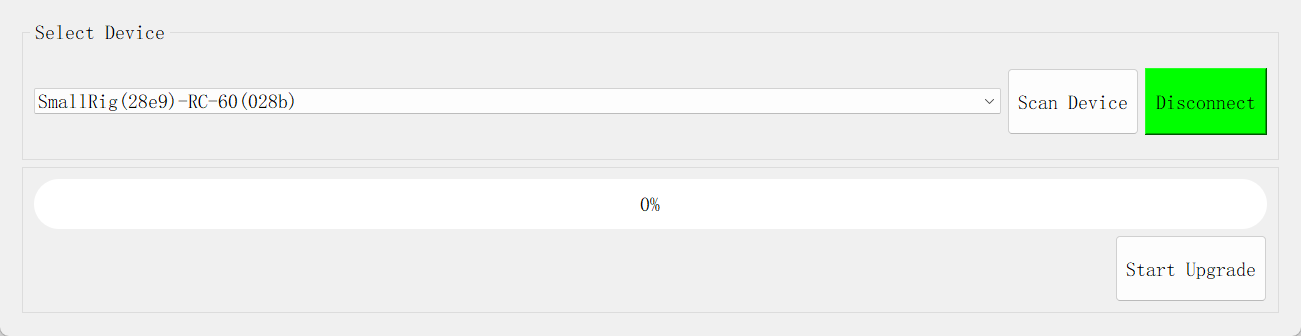
Step 3:Once connected, click "Start Upgrade".
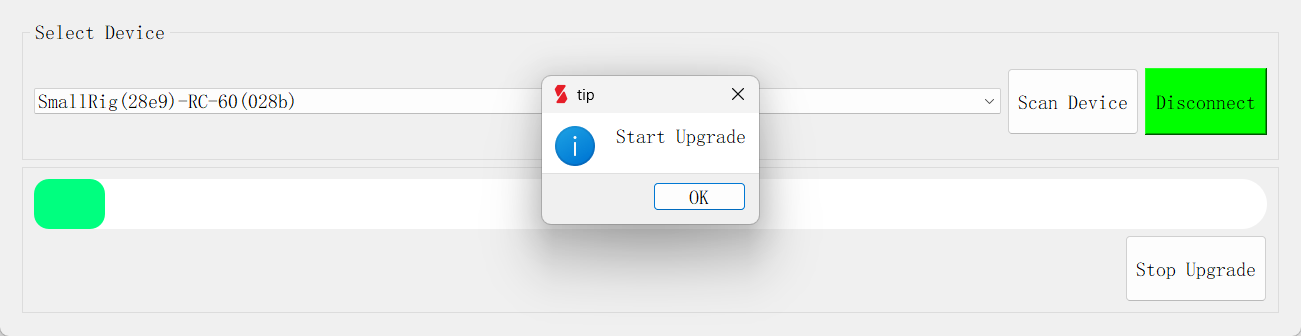
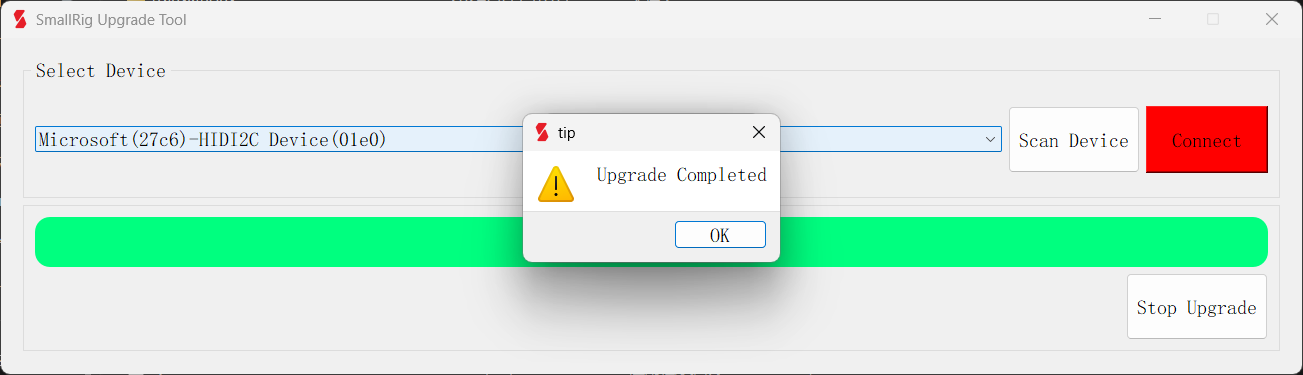
Step 4:During the upgrade process, the device will automatically restart upon completion.
Keep Reading
 Best Portable Lighting Setup for Solo Content Creators
 Review: SmallRig RF 20C Portable Zoom Light
 Why You Need a Video Light: A Complete Guide for Content Creators
Related Products from SmallRig