
Search smallrig.com...


How to Choose a Microphone for Live Streaming
SmallRig 2026-03-26 18:51:29
Contents
Most streaming audio issues come from a short list of causes: the mic is too far away, the room is reflective, or the levels are set so hot that loud moments distort. Fixing those problems is less about buying the most expensive gear and more about picking the right microphone category for your workflow, then setting it up so it stays consistent from stream to stream. The sections below focus on decisions that affect what viewers actually hear: connection type, pickup pattern, control features, and the accessories that make placement stable.
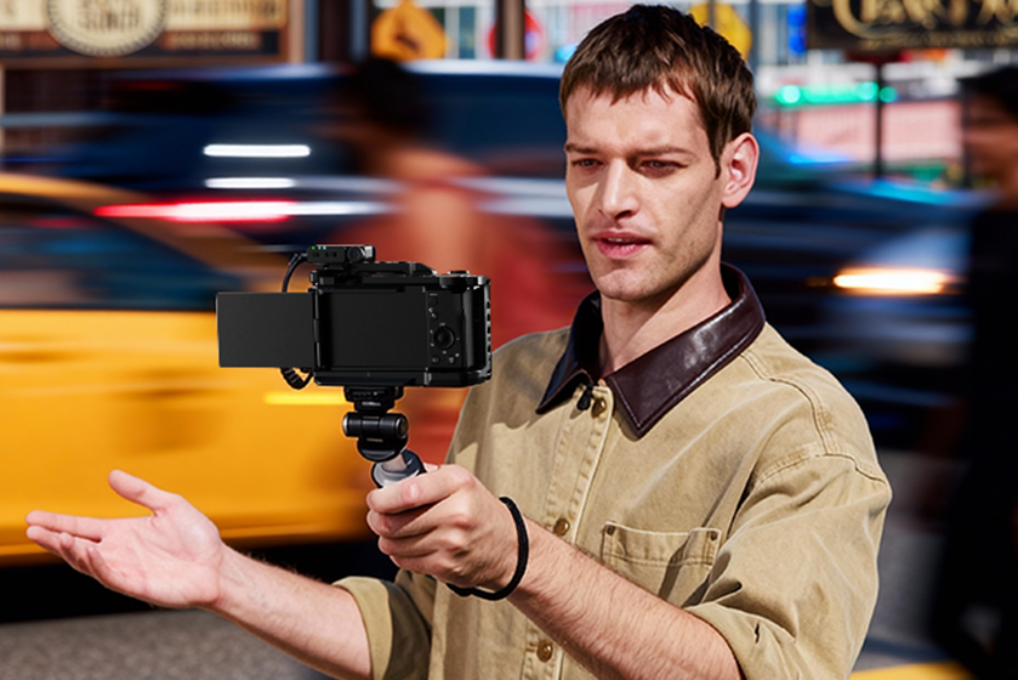
Quick Pick Table: Choose the Right Streaming Microphone in 60 Seconds
| Your streaming setup | Main constraint | Best fit | Notes to check |
| PC desk streaming, simple routing | Speed and simplicity | USB microphone | Confirm monitoring options and software support |
| PC desk streaming, upgrade path later | Modular control | XLR mic plus audio interface | Budget for interface and cabling |
| Walking streams, cooking, fitness, interviews | Freedom to move | wireless microphone | Prioritize reliability and placement |
| Phone focused streaming | Port compatibility | USB-C microphone | Confirm phone support and power needs |
| Travel kit or very tight space | Minimal footprint | mini wireless microphone | Look for stable mounting and quick controls |
Quick sanity check: if your voice sounds roomy or distant on past streams, the most effective change is usually reducing the distance between your mouth and the mic, not adding more filters.
Why Your Microphone Is the Most Important Piece of Streaming Gear

After a quick pick, it’s worth understanding why audio deserves extra attention. Viewers can tolerate average video quality, but they rarely stay when speech is hard to follow. When people struggle to hear words clearly, they tend to judge the speaker and the content more negatively, even if the message is the same. In research on video presentations, lower audio quality led to worse ratings of the talk and lower perceived intelligence and likability of the speaker, along with lower perceived importance of the work.
In live streaming, that shows up fast: repeated “say that again” messages, lower watch time, and viewers turning the volume down or leaving. The fixes are practical. Keep distance consistent, leave headroom so loud moments don’t clip, and reduce room reflections that make the voice sound distant. Studio-level polish is optional. Clear, stable speech is the baseline that protects retention.
USB vs XLR vs Wireless: Best Microphone Types for Streamers
Your next choice is the signal path: USB, XLR, or wireless. Each one fits a different streaming problem, so pick based on how you work, not on specs. USB is built for simple desk setups, XLR supports long-term expansion, and wireless keeps your voice consistent when you move.
USB: Fast Setup and Fewer Failure Points
A USB mic is typically a dynamic or condenser mic with an integrated analog-to-digital converter, so it can plug straight into a computer without an audio interface. This is why the USB route is popular for desk streaming and gaming setups.
What to pay attention to:
-
Monitoring behavior: some USB units provide a headphone output for direct monitoring, while others rely on software monitoring that can feel delayed.
-
Control access: a physical gain control and mute are valuable during live shows.
-
Noise in the room: if the room is echoey, placement matters more than the USB vs XLR debate.
XLR: Modular Control and Expansion
XLR is an analog connector, so an audio interface is usually needed to convert the signal to digital for a computer. XLR fits creators who plan to add more sources later, want a dedicated preamp and routing, or need multiple inputs.
Expect trade-offs:
-
More cabling and more settings to manage.
-
A slightly higher learning curve for gain staging and monitoring.
-
More flexibility for upgrades over time.
If you like hands-on control and want a setup you can grow into, XLR makes sense. If you want to be live in minutes, USB often wins.
Wireless: Built for Movement and Phone-First Workflows
A wireless system keeps the capsule near your mouth while you move, which can improve clarity in noisy environments. For 2.4 GHz digital systems to work reliably, they need to be able to change frequencies on the fly to avoid interference, and the line of sight between transmitters and receivers becomes important.
How to evaluate a candidate for the best wireless microphone slot in your kit:
-
Dropout behavior: short dropouts are manageable; frequent dropouts break viewer trust.
-
Control clarity: you need fast mute and gain options that are easy to confirm during a live take.
-
Mounting reliability: the system should stay secure on clothing and remain stable when you turn your head.
A wireless purchase goes wrong most often when the receiver is buried behind equipment, the transmitter is blocked by the body, or the mic is clipped too low. Those issues are solvable with placement and a short walk test in the actual streaming environment.
How Do Polar Patterns Affect Microphone Performance?
After choosing the connection type, the polar pattern is the next lever that changes what viewers hear. Pickup pattern describes how sensitive a mic is to sound from different directions, which directly affects keyboard noise, fans, and room reflections.
Cardioid: The Default Choice for Many Desk Setups
Cardioid focuses on the front while reducing sound from the rear. This helps when your room has background noise or reflective surfaces. Place the mic so its front faces your mouth, and angle it away from the keyboard.
Action point: if keyboard clicks dominate, move the mic closer to your mouth and lower the gain so the keyboard sits farther below your voice.
Supercardioid and Hypercardioid: Tighter Focus, Stricter Placement
These patterns narrow the front pickup compared with the cardioid. They typically provide greater rejection of ambient sound.
One placement detail matters: cardioid is least sensitive at the rear, but supercardioid and hypercardioid have the least sensitive angles off to the side rather than directly behind. If your PC fan is directly behind the mic, the result may be worse than expected. A small rotation can change the noise profile quickly.
Omnidirectional: Natural Tone, More Room Included
Omnidirectional pickup captures sound from all directions. It can sound open and natural, especially with lav mics, but it also captures more room sound. In an untreated space, the benefit of natural sound can turn into a hollow or echoey voice. In that case, the fastest fix is closer placement, not heavier noise reduction.
Key Features to Look For in a Streaming Microphone
Once the mic type and pickup pattern are set, features should solve real problems you have seen on the stream. Avoid shopping for features you will not use under live pressure.
Gain Control, Mute, and Peak Protection
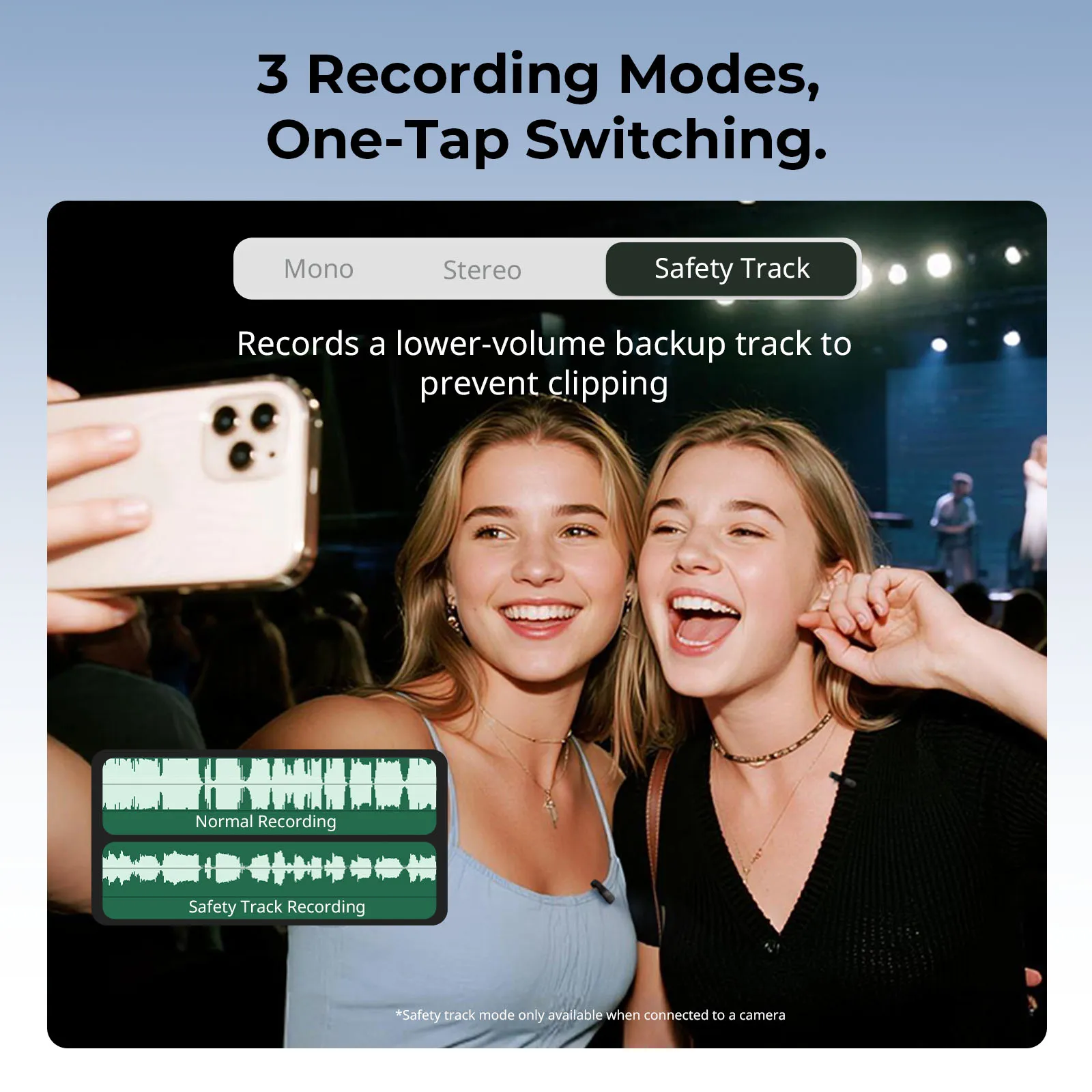
Live moments get loud. Laughing, shouting, and leaning in can cause clipping. Useful features include:
-
A gain control, you can adjust quickly
-
A mute button with an obvious state
-
Limiting or safety recording options, if available
Even basic setups benefit from leaving headroom. A clean signal that is slightly quieter is easier to fix than clipped audio.
Monitoring That Does Not Distract You
Latency affects timing and confidence. Direct monitoring allows you to hear the input signal from the interface with near-zero latency by routing it straight to headphone or line outputs. If you rely on software monitoring, test it before going live and adjust your buffer settings if needed.
Compatibility and Connection Planning
Compatibility mistakes waste time. Confirm your target device and your input path:
-
Computer streaming with a USB mic is usually straightforward.
-
XLR requires an interface for computer use.
-
Phone streaming depends on ports and adapters. A USB-C mic path is common on newer phones, but power and app support vary.
If your workflow includes switching between PC and phone, prioritize gear that keeps the setup simple to reproduce.
Must-Have Microphone Accessories: Boom Arms, Pop Filters & More
Accessories are not decoration. They solve placement, vibration, and airflow issues that hardware specs cannot fix.
Microphone Boom Arm: Stable Distance and Cleaner Desk Space
A microphone boom arm helps you keep the capsule close to your mouth without blocking your screen. That single change often improves clarity and reduces room sound, since you can lower gain.
Look for practical qualities:
-
A mount that fits your desk thickness
-
Joints that hold position securely
-
Cable management so cables do not rub or pull
Key principle: consistent distance improves perceived quality more than most software filters.
Pop Filters and Windscreens: Fix Plosives and Air Bursts
Plosive pops happen when bursts of air hit the diaphragm. A pop filter placed between your mouth and the mic helps reduce those bursts before they reach the capsule.
If plosives remain, move the mic slightly off-axis so air does not hit it directly. That often fixes the issue without changing tone dramatically.
Shock Mounts and Simple Room Control
Desk vibration and keyboard thumps travel through stands. A shock mount reduces that mechanical transfer. If your room is bright and echoey, adding soft materials near your speaking position can reduce reflections. You do not need a studio buildout. A small improvement in reflections can make a voice sound closer and clearer.
Make Your Choice and Go Live After a Quick Sound Check
A short test keeps your setup honest. Record a few normal sentences and then a louder moment, listen back on headphones, and adjust distance and gain until loud peaks stay clean. If the room sounds obvious, bring the mic closer and lower the gain before touching the software noise reduction. After that, lock the placement so it matches next time. Small, consistent choices build trust with viewers and reduce live stress when chat starts moving fast.
FAQs
Q1: Should I use a dynamic microphone if my room is untreated?
Yes. A dynamic microphone is often less sensitive to distant reflections than many condenser models, so it can sound cleaner in typical bedrooms. You still need close placement and sensible gain. It will not “fix” a noisy room by itself.
Q2: Do I need an audio interface to make a USB microphone sound better?
No. A USB microphone already contains the conversion hardware. Sound improvements usually come from placement, gain, and basic room control. If you want hardware EQ, multiple inputs, or better monitoring control, then an interface becomes relevant through an XLR path.
Q3: Is 48 kHz, 24-bit necessary for live streaming?
No. Most platforms compress audio heavily, so those numbers rarely decide perceived quality. They can help with headroom and editing flexibility, but clarity is dominated by distance, room noise, and avoiding clipping. Treat sample rate and bit depth as secondary.
Q4: Can I use two wireless microphones at the same time without interference?
Yes, usually. It depends on the system’s design and the RF environment. Use matched transmitters and receivers, keep receivers separated from strong Wi-Fi sources, and test with all devices powered on. In crowded spaces, reliability can change quickly.
Q5: How can I reduce keyboard noise if I can’t change my mic position?
Use software noise suppression carefully, then adjust your typing technique. Lowering key travel, using quieter switches, and placing a desk mat can reduce impact noise at the source. If suppression sounds “watery,” back it off and accept a small amount of noise.
Keep Reading
 CPL vs ND Filter: What's the Difference and When to Use Each
 SmallRig S70 Wireless Mic Review: Best Budget Option?
 How to Take Photos and Vlogs Alone in Public Without Feeling Awkward
Related Products from SmallRig