
Search smallrig.com...


SmallRig 5-in-1 Multifunctional Portable SSD: Replaces Your Laptop on Location
SmallRig 2026-07-07 21:25:53
Contents
What Is the SmallRig Multifunctional Portable SSD?
The SmallRig Multifunctional Portable SSD is a 1TB, 10Gbps portable drive with dual SD and Micro SD card slots (both SD 4.0), a magnetic back panel for phone attachment, PD charging output, and a 6-month Kocard app membership that unlocks card reading, hash verification, in-field compression, and cloud upload — all operated from your smartphone. It's described as "5-in-1" because it genuinely replaces five separate tools: a portable SSD, a card reader, a file integrity checker, a compression tool, and a cloud upload station.
This is not a standard portable SSD with a marketing wrapper. The hardware is the foundation; the Kocard workflow integration is what separates it from every other drive you've considered.
Why SmallRig Built This Portable SSD: The Post-Shoot Laptop Problem
Here's the reality for most location-based creators: the shoot ends, but the work doesn't. You still need to copy files off your cards, confirm nothing got corrupted in transit, compress footage for a client who needs a preview tonight, and back everything up before you sleep so you can confidently clear your cards tomorrow. This entire workflow has always required a laptop — which means either carrying one everywhere, or doing it later, which usually means doing it tired, quickly, and with less attention to whether the transfers actually completed correctly.
For a wedding photographer who owes the couple next-day previews, "do it later" isn't an option. For a video journalist who needs to file footage within hours, "do it at the hotel" is already too slow. For a travel filmmaker on a six-week expedition, carrying a laptop on every location scout adds weight and vulnerability they can't afford.
The SmallRig Portable SSD was built to close this gap — to move the entire post-shoot data management workflow off the laptop and onto a device that fits in a jacket pocket and runs from a phone.
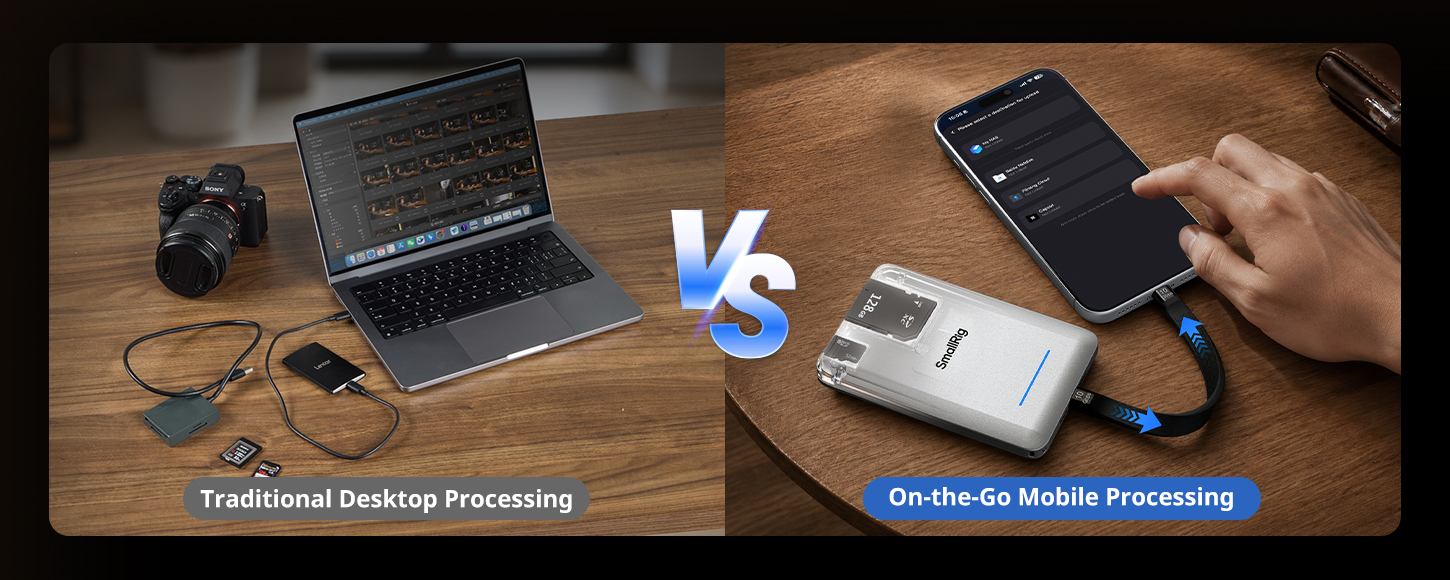
SmallRig Portable SSD vs Standard Portable SSD: Five Functions vs One
A standard portable SSD does one thing well: store files. You copy from a card reader (separate), you trust the transfer completed correctly (unverified), you hope someone can access the footage remotely (not possible without another device). It's fast storage, nothing more.
The SmallRig Portable SSD does five things, and understanding each one shows why the "5-in-1" label is earned rather than inflated.
Card Reading: Dual slots read SD and Micro SD simultaneously using the SD 4.0 standard. Your fastest modern memory cards — the ones you bought specifically to keep up with high-bitrate video — transfer at their full rated speed without a separate adapter. You don't need a card reader dongle. You don't need to remember which adapter works with which card format.
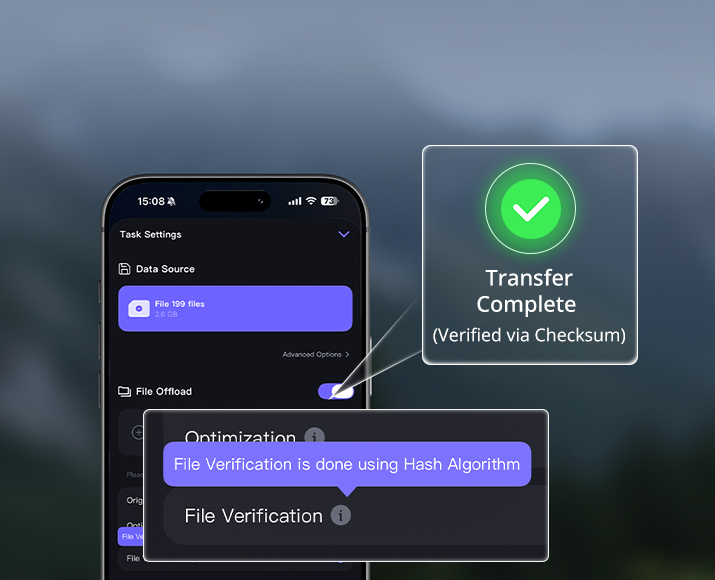
Hash Verification: This is the feature most creators don't realize they need until they've experienced a silent corruption event — a transfer that looked completed but wasn't, discovered only when the file wouldn't open in post. Hash verification compares a mathematical fingerprint of every copied file against its source. If they match, the file is confirmed intact. If they don't, you know before you leave the location, while you can still reshoot. On a standard SSD, you copy and assume. On this device, you copy and know.
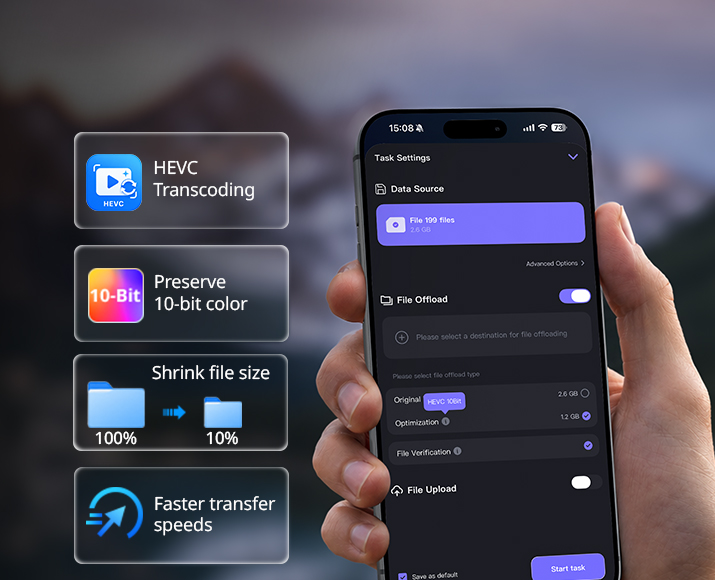
In-Field Compression: Through the Kocard app, footage can be compressed directly on the device. If a client or remote editor needs a proxy file tonight and your connection is limited, you're not stuck waiting for a full-resolution file to upload. A compressed version goes out in minutes.
Cloud Backup: After copying and compressing, footage can be pushed to cloud storage from the SSD itself — no laptop relay, no intermediate step. A remote editor in a different city can have access to your footage within minutes of you wrapping a shoot.
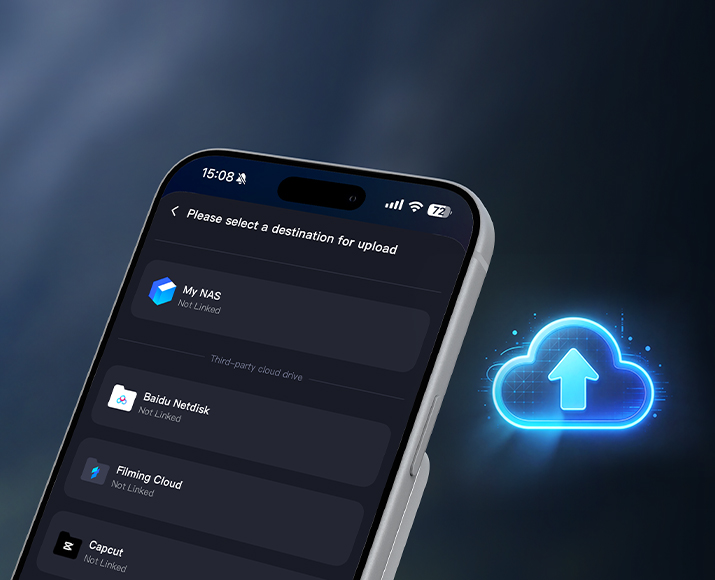
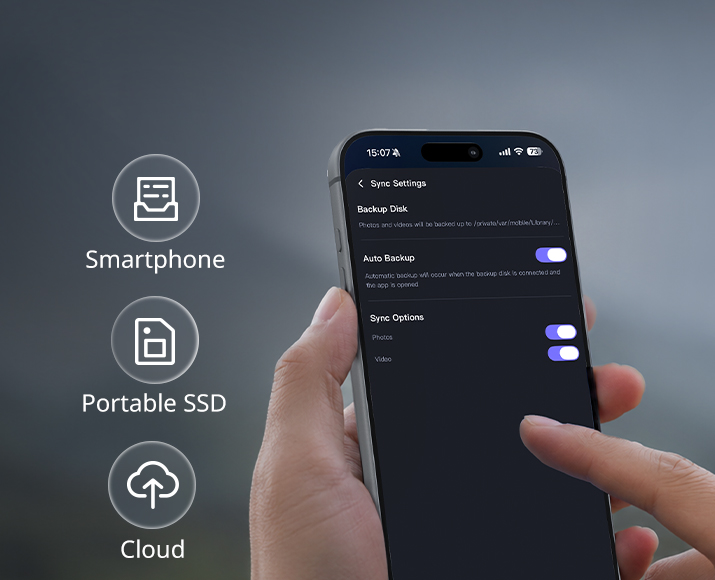
Triple Simultaneous Backup: Media can be copied to the SSD, your phone's local storage, and the cloud at the same time. Before you clear your memory card, you have three independent copies in three separate locations. That's the redundancy level that used to require a desktop workstation running dedicated backup software. Here it happens automatically, in the background, while you're packing your gear.
The magnetic phone attachment lets the SSD sit hands-free on your phone's back during transfers. The PD charging output means it's simultaneously charging your phone. It requires no drivers across any device or platform.
The included 6-month Kocard membership (retail value $119.94) unlocks all five workflow functions. After the trial period, the SSD remains a fully functional 10Gbps drive — the membership is the workflow layer, not the hardware. You can evaluate after six months whether the subscription fits your ongoing workflow.
Who Should Buy the SmallRig Multifunctional Portable SSD?
You're a wedding or event photographer who owes clients same-day or next-day image previews. You shoot thousands of files across multiple cards at every event. Currently you either carry a laptop to every job or spend the first hour back at home rushing through transfers you're too tired to double-check. The SmallRig SSD lets you start the copy and verify process between venues, on the drive home, or in the lobby — on your phone.
You're a video journalist or content creator with a same-day delivery requirement. Your footage needs to reach an editor or platform within hours of capture. The compression and cloud upload features mean that window is no longer defined by how fast you can get back to a desk.
You're a travel filmmaker on an extended trip — weeks or months, multiple countries. Carrying a laptop means carrying a laptop charger, a sleeve, worrying about it at airport security, managing its battery alongside everything else. The SmallRig SSD removes that entire category of gear and concern.
You're a solo creator who shoots high-bitrate ProRes or LOG formats. You know the stakes of a corrupted transfer because you've experienced it or heard the stories. Hash verification is the only way to confirm your files are intact at the point of transfer, not two days later in an editing suite when it's too late.
If your current answer to "how do I manage footage on location without a laptop" is "I haven't solved that yet" — this is the solve.
Keep Reading
 The Vlogger's Dilemma: How to Ditch the Bulky Mic for "Invisible" Professional Sound?
 Master Your Shots with SmallRig Gimbal Control Wheels for DJI RS Series | Precision at Your Fingertips
 Your Go-Anywhere Studio: Build a Mobile Photography Setup with SmallRig