
Search smallrig.com...


Camera Filter Mounting Guide: Choosing Between Clip, Magnetic, and Cage
SmallRig 2026-03-25 01:39:39
Contents
Picking the right mounting system for your phone filter comes down to three things: how you shoot, what phone you have, and how serious you are about mobile filmmaking. Clip-on systems give you grab-and-go convenience, MagSafe phone mounts work beautifully with newer iPhones, and cage-style iPhone filming rigs deliver rock-solid stability for professional work.
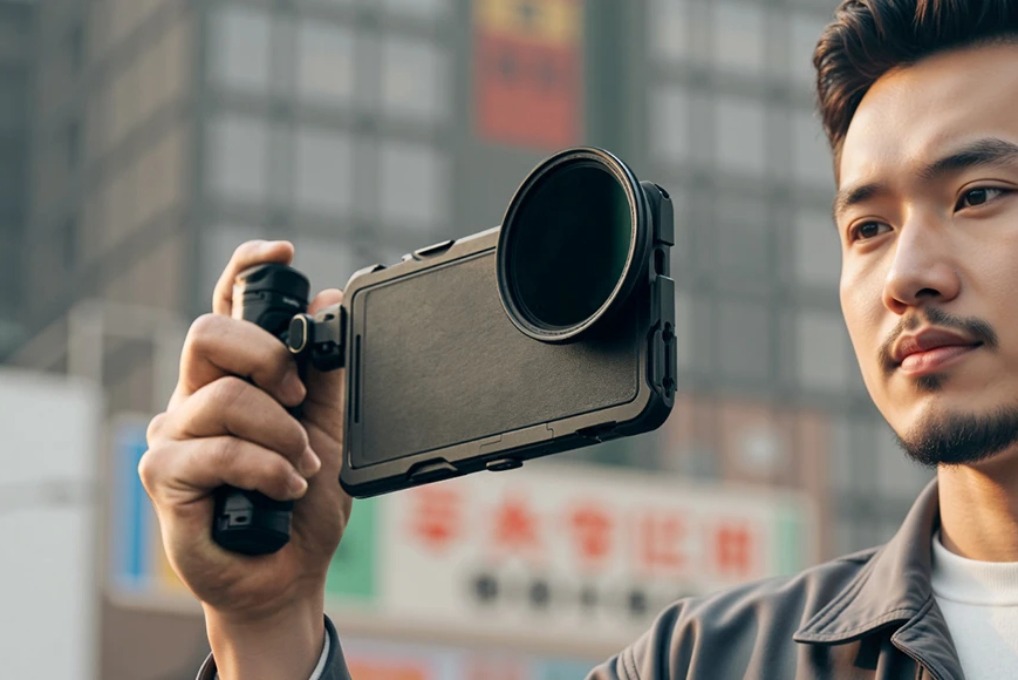
What's the Difference Between These Three Phone Filter Mounting Options?
When you're shopping for ways to attach filters to your phone, you'll run into three main types. Each has its own sweet spot, and understanding these differences will save you from buying the wrong gear.
(Note: exact weights, setup times, and pricing can vary a lot by brand and model.)
Clip-On System Features
The simplest option is the clip-on phone filter mount. These use spring-loaded clamps that grip around your phone's body or over the camera lens area. Most work with any smartphone, regardless of brand. You just squeeze the clip, position it over your lens, and let go. The filter screws onto threads built into the clip itself.
MagSafe Phone Mount Features
Apple's MagSafe technology changed the game for iPhone users. These mounts use a ring of magnets that snap directly onto the back of iPhone 12 and newer models. The filter holder attaches magnetically, which means zero clips, no pressure on your screen, and instant attachment. You can pop it on and off in seconds.
iPhone Filming Rig Features
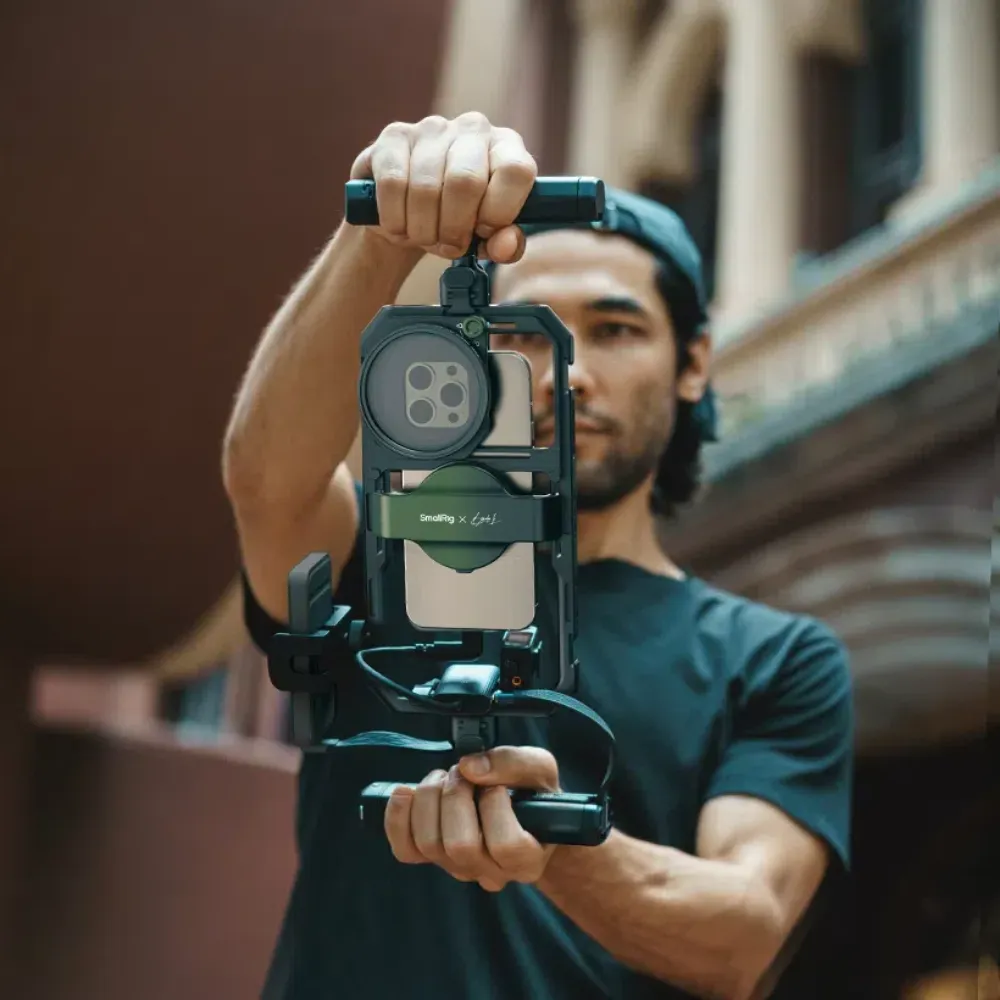
Cage systems are the heavy hitters. An iPhone filming rig surrounds your phone with an aluminum or plastic frame that has threaded holes on all sides. This lets you mount filters, lights, microphones, and a phone tripod mount all at once. Think of it as turning your iPhone into a mini film camera.
If you want a proven example, SmallRig’s Mobile Video Cage for iPhone is designed specifically for mobile filmmaking with multiple accessory mounts and a quick-release ecosystem that speeds up real-world setup.
Quick Comparison
| Feature | Clip-On | MagSafe | Cage Rig |
| Setup Time | ~10–15 seconds | ~2–3 seconds | ~1–2 minutes |
| Phone Compatibility | Universal | iPhone 12+ | Most models with adapters |
| Accessory Mounts | Limited | Moderate | Extensive |
| Weight | ~20–40g | ~30–60g | ~100–200g |
| Price Range | ~$15–40 | ~$25–60 | ~$40–150 |
Who Should Use a Clip-On Phone Filter?
Clip-on filters are perfect if you want something simple and don't want to commit to a specific phone ecosystem. These work great for travelers, casual Instagram shooters, and anyone who switches phones frequently.
Universal Design and Compatibility
The beauty of clip systems is that they don't care what phone you have. Whether you're rocking an iPhone, Samsung Galaxy, or Google Pixel, a quality clip-on phone filter will fit. Most are designed to accommodate a wide range of phone sizes, but case thickness can affect fit. Just check the specs before buying.
How to Install and Attach Filters
-
Installation often takes around 10 seconds once you get the hang of it.
-
Line up the clip so your camera lens peeks through the center opening.
-
Squeeze the spring mechanism and release it over your phone.
-
The filter typically screws onto common thread sizes (varies by mount) on the clip itself.
-
Make sure everything's centered, or you'll get vignetting in your shots.
Best Use Cases
Clip-on systems are ideal for vacation photography, quick social media content, and beginners who are just starting out with phone filters. They slip into a pocket easily and won't weigh down your bag. If you're hiking and want to capture a sunset with an ND filter, this is your move.
Things to Watch Out For
Thick phone cases can be tricky here. Most clips won't fit over bulky cases, so you'll need to remove yours first. Also, the spring pressure can feel sketchy on expensive phones. Some users worry about scratches, though quality clips have rubber padding. Finally, these can shift during shooting if you're not careful, especially on a phone tripod mount setup.
Why Do iPhone Users Love the MagSafe Phone Mount?
If you've got an iPhone 12 or newer, MagSafe mounts feel like magic. The magnetic connection is genuinely strong, and the convenience factor is unmatched.
How MagSafe Technology Works
Apple built a ring of magnets into the back of newer iPhones. These magnets align with MagSafe accessories, creating a strong, self-aligning magnetic connection (actual holding strength varies by mount and case). The magnetic array also centers itself automatically, so your filter stays aligned with your lens.
Why Magnetic Attachment Wins
Speed is the killer feature. You can attach or remove a MagSafe phone mount in about one second. No clips to squeeze, no frames to screw in. This matters when you're chasing changing light or trying to capture a fleeting moment. The attachment also distributes force evenly across the back of your phone instead of clamping pressure on the edges.
Which iPhones Work
You need an iPhone 12, 13, 14, 15, or 16 series for built-in MagSafe. Older iPhones can work if you stick a MagSafe ring adapter to your case, but the hold won't be quite as strong. MagSafe cases work perfectly since they have magnets too. Just avoid super thick rugged cases that space the magnets too far from your phone.
Using It with a Phone Tripod Mount
Here's where things get interesting. Many MagSafe filter holders have a 1/4-20 threaded socket on the bottom. This is the universal tripod thread size. You can screw your phone tripod mount directly into the MagSafe holder, creating a super clean setup with no extra adapters needed. The magnetic hold is strong enough for careful, static shots, though extra caution is recommended during heavy movement.
What Makes an iPhone Filming Rig Worth the Investment?
Cage systems look intimidating, but they're game-changers if you're serious about mobile video. An iPhone filming rig transforms your phone into a legitimate production tool.
Professional Stability Benefits
A cage wraps around your entire phone, which distributes weight and gives you actual grips to hold onto. This matters for longer shoots. Try holding your phone steady for a five-minute interview without one, and you'll understand. The added bulk also dampens micro-shakes that ruin handheld footage. Plus, the cage can add extra protection and grip compared to going bare.
Multiple Mounting Points
This is where cages shine. You'll find threaded holes (usually 1/4-20 and 3/8-16) on the top, sides, and bottom.
-
Cold shoes on top let you mount LED lights or shotgun mics.
-
Side handles attach for two-handed shooting.
-
Bottom threads work with any phone tripod mount.
You can build out your rig exactly how you need it for each shoot. And if you plan to use larger filters, SmallRig also offers attachable magnetic filter adapter options for phone cages, great for fast swaps and more “camera-like” filter workflows.
Video Production Advantages
Professional mobile filmmakers use iPhone filming rigs because they enable serious work. You can mount an external monitor via an HDMI adapter, attach follow-focus systems for cinematic pulls, and rig up battery packs for all-day shoots. The cage also raises your phone's camera away from flat surfaces, so you can actually frame low-angle shots properly.
Standard Mounting Options
Some cages include Arca-Swiss-compatible bases or NATO rails, depending on the model, which means your accessories from "real" cameras often work here too. The 1/4-20 threads are universal, so any tripod head, slider, or gimbal accepts them. Cold shoe mounts fit standard flashes and accessories. This cross-compatibility is huge if you're already invested in camera gear.
How to Pick the Right Phone Tripod Mount for Filters?
Not all phone tripod mounts play nice with filter systems. You need to think about how everything stacks together.
Tripod Thread Compatibility
Standard tripod threads are 1/4-20 (the small ones) or 3/8-16 (the larger ones). Most phone tripod mounts use 1/4-20. If your filter holder has a threaded socket, make sure it matches. Some MagSafe holders and all decent cages include this thread. Clip-on systems usually don't, which means you'd need a separate phone holder for tripod use.
Portrait vs. Landscape Orientation
Here's something people miss: some phone tripod mounts only work in landscape or only in portrait. For filters, you want a mount that handles both and lets you switch without removing anything. Ball heads work great here. L-brackets give you a quick 90-degree rotation. Avoid basic clamp mounts that lock you into one orientation.
Quick-Release Features
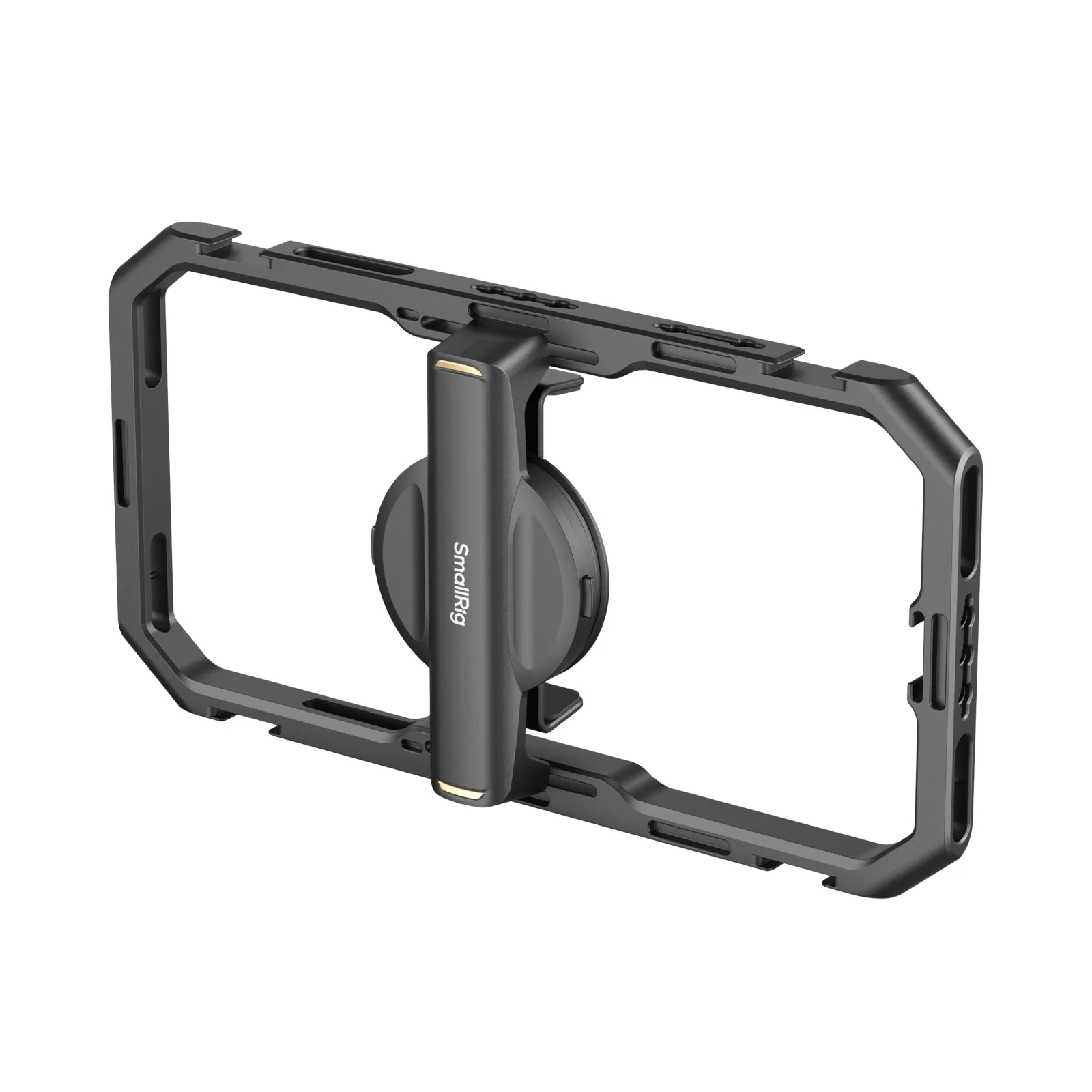
If you're going between tripod and handheld frequently, quick-release plates are essential. The Arca-Swiss quick-release is a popular standard. You attach a small plate to your filter holder or cage once, then your phone snaps in and out of the tripod head in one second. Way better than screwing and unscrewing threads fifty times during a shoot. If you want a mobile-first solution, the SmallRig Quick Release Mobile Phone Cage is built around fast locking and also integrates a 67mm filter adapter setup—so you can move between handheld and tripod shots without constantly rebuilding your stack.
Testing for Stability
Before you shoot anything important, test your setup. Mount everything, extend your tripod, and give it a gentle shake. If your phone wobbles, either your phone tripod mount is cheap, your filter holder is loose, or you're stacking too many adapters. A solid setup should feel locked in. Also, check that your filter doesn't hit the tripod head when rotating between orientations.
FAQ
Q1. Can I Stack Multiple Filters on These Mounting Systems?
Yes, but carefully. Clip-on phone filter systems usually allow one or two stacked filters before vignetting becomes an issue. MagSafe phone mounts can handle stacked filters as long as the overall setup stays lightweight, though you might see magnetic slippage with heavier combinations. iPhone filming rigs give you the most flexibility since they hold filters in a fixed position relative to the lens. The real limit is optical quality since each additional filter introduces more glass between your lens and subject. For mobile photography, I rarely stack more than two filters, maybe an ND and a polarizer together. Watch for vignetting in your corners, especially on ultra-wide lenses.
Q2. Do These Systems Affect Wireless Charging on My Phone?
Yes. MagSafe phone mounts don’t interfere with MagSafe alignment, but you’ll usually need to remove the filter holder before charging. Clip-on phone filter systems don't interfere at all since they only contact the edges or lens area. Many cages make wireless charging inconvenient, so you may need to remove the rig to charge. If you're shooting all day and need to charge wirelessly, factor in the time to remove and reattach your rig. Most serious shooters just use a USB-C cable anyway since it's faster and you can shoot while charging.
Q3. Will These Mounting Systems Work with Phone Gimbals?
This depends entirely on which system you choose. Clip-on phone filters usually work fine with gimbals since they add minimal weight and don't extend far from the phone body. Make sure to rebalance your gimbal after attaching the clip. MagSafe phone mounts can work, but you need to check your gimbal's weight limit since the magnetic holder adds bulk. Most 3-axis gimbals designed for phones handle it fine. iPhone filming rigs are trickier since they change your phone's dimensions significantly. You may need a gimbal that can accommodate larger dimensions, and rebalancing becomes more complex with all the mounting points and accessories.
Conclusion
Start with your phone and shooting style. iPhone 12 or newer? Get a MagSafe phone mount and enjoy the convenience. Need universal compatibility and portability? Grab a quality clip-on phone filter. Ready to build a serious mobile production kit? Invest in an iPhone filming rig with a solid phone tripod mount. Test your setup before important shoots, and you'll be creating professional-looking content in no time.
Keep Reading
 CPL vs ND Filter: What's the Difference and When to Use Each
 SmallRig S70 Wireless Mic Review: Best Budget Option?
 How to Take Photos and Vlogs Alone in Public Without Feeling Awkward